Samsung T7 1TB — Review
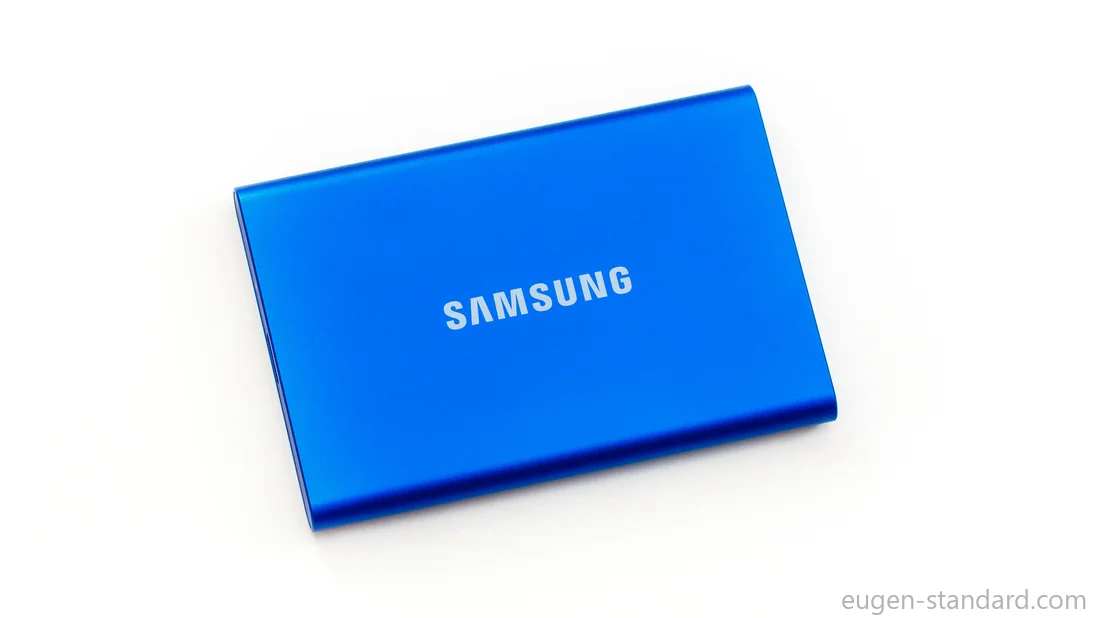
| Spec | Value |
|---|---|
| Model code | MU-PC1T0H/WW |
| Interface / connector | USB-C / USB 3.2 Gen 2 |
| Claimed write speed | up to 1,000 MB/s |
| Claimed read speed | up to 1,050 MB/s |
| Security | 256-bit AES encryption |
| Dimensions (L×W×H) | 85 × 57 × 8 mm |
| Weight | 58 g |
| Warranty | 3 years |
Reference only. Rankings are based on Eugen Standard measurements.
60 seconds. That’s how long the Samsung T7 maintains its maximum write speed before its behavior changes. If you copy large files, this moment largely determines how long you will actually wait.
In this article, we test the Samsung T7 external SSD (1 TB). You’ll find sustained write behavior, sequential read performance, small-file responsiveness, case temperature data (measured externally), and a comparison via our calculator.
Device, accessories, versions
The T7 uses a metal enclosure and a USB-C connection. The box typically includes two cables (USB-C→USB-C and USB-C→USB-A). Cable and port choice matters—many “slow SSD” cases in real life are simply the wrong cable or the wrong USB port.
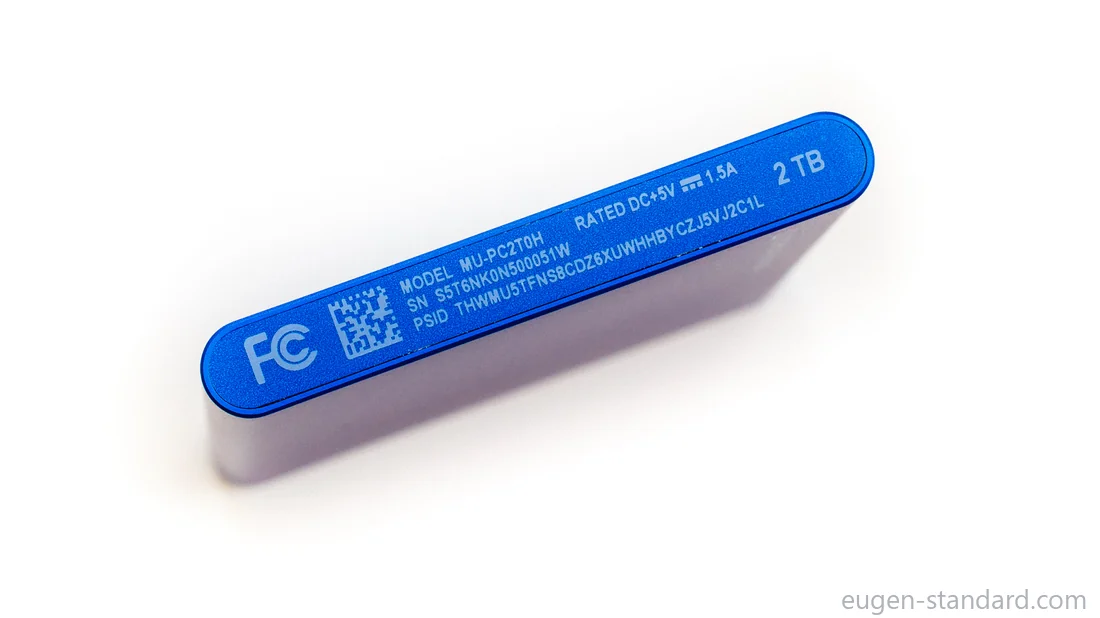
Samsung sells 500 GB, 1 TB, and 2 TB versions and multiple colors. This test unit is the 1 TB model. The usable capacity after formatting is 931 GiB. That difference is normal: it’s the gap between decimal “TB” on the box and binary “GiB” reported by the OS.
Methodology
All measurements were performed on Windows 10 using Fio (repeatable workload definitions). Each test is run at least three times, and this article references median values. Full raw tables (including all attempts) and methodology are published on eugen-standard.com under Raw Data and Methodology.
We also publish heat data. Case temperature is measured using an external instrument (not internal sensors). For each test, we report the median maximum case temperature in Raw Data.
Sequential Write (250 GiB)
This is the most important test for external SSDs. In plain terms, it represents copying a large file or a video folder to the drive.
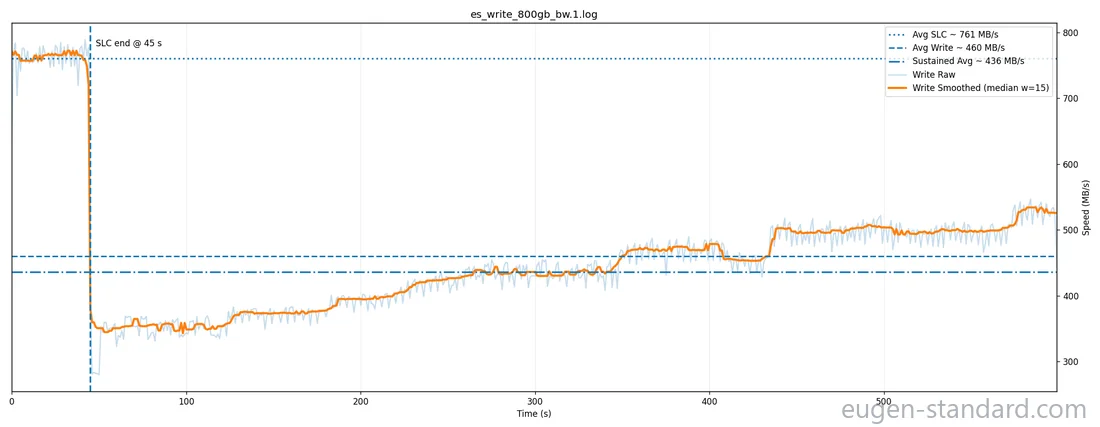
The key concept is cache behavior. Many portable SSDs start fast because they write into a short-term SLC cache. That peak phase is not the sustained mode. Once the cache is filled, the drive transitions to steady-state writing to its main flash memory. For large transfers, that steady-state behavior is what determines how long you will wait.
For the T7, the fast section is roughly 44 GiB. If you copy 10–20 GiB, you will often stay inside the cache. If you copy hundreds of gigabytes, most of the transfer happens after the cache is full.
The total time to write 250 GiB is 6 minutes 40 seconds. For most people, this is more useful than peak MB/s on a box—because it directly answers “how long will I wait.”
We also publish the median maximum case temperature for this workload as a separate metric in Raw Data.
A practical note: if you usually copy around 200 GiB, the calculator can estimate time from our measurements and compare it with other tested models for the same data size.
Quick estimate (Write)
--
Sequential Write (250 GiB)
Sequential Read (250 GiB)
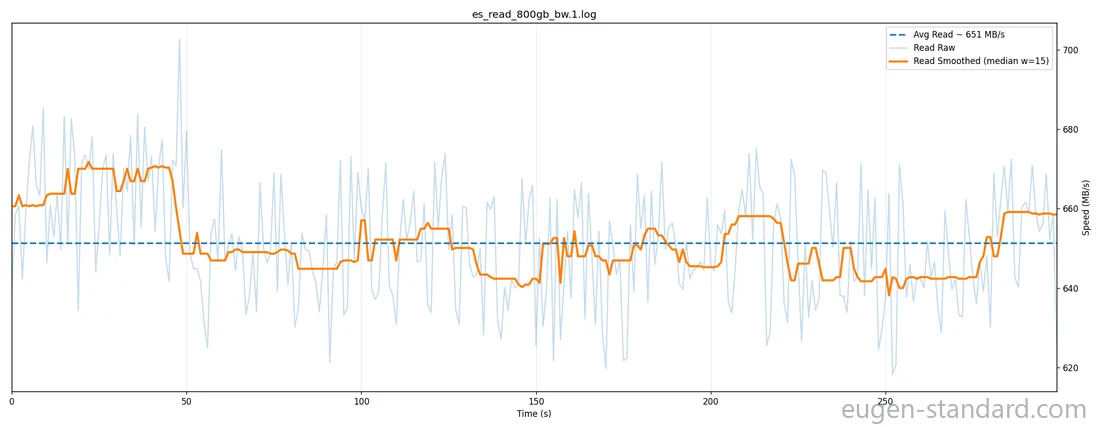
Sequential read represents copying a large file from the drive back to the computer. The main things to watch are throughput and stability—no unexpected drops mid-transfer.
In our test, T7 read behavior is stable and predictable for large-file copies. The maximum case temperature for this workload is recorded and published in layer 1.
Quick estimate (Read)
--
Sequential Read (250 GiB)
Random Read 4K QD1
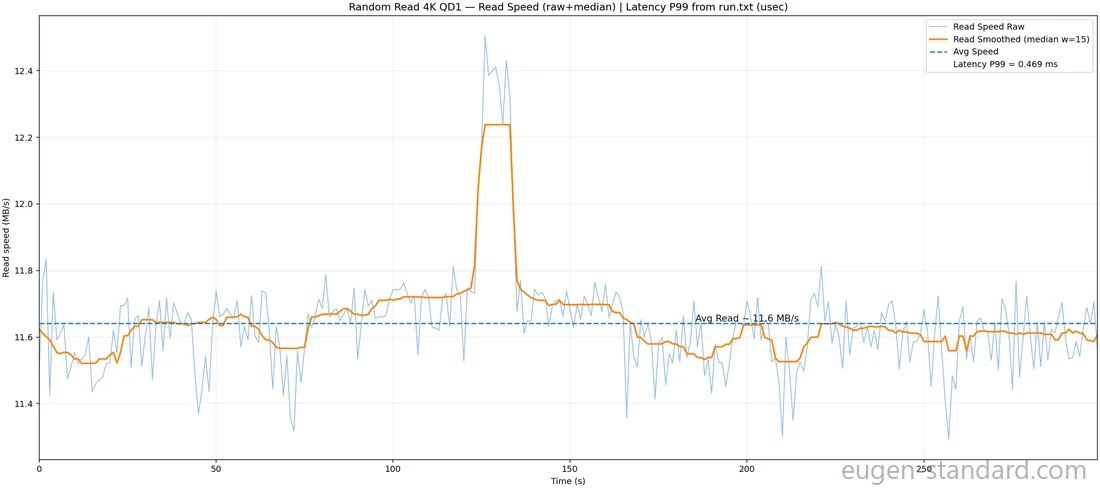
This test is about small files and everyday responsiveness.
- 4K means very small blocks (think many small system/app files).
- QD1 means requests arrive one at a time, similar to typical day-to-day usage.
Real-life examples include opening a folder with thousands of files, searching inside a project directory, and many small reads where latency dominates. Here, speed matters, but latency matters even more: higher latency often means more noticeable pauses during small operations.
For this scenario as well, we publish the median maximum case temperature in Raw Data.
Random Read 4K QD1
Summary and comparison
Summary: the T7 shows predictable long-write behavior (cache → sustained mode) and stable sequential read performance. Temperature is documented per test as a dedicated maximum metric.
Finally, pricing. The calculator includes a price-per-GiB tab: we pull current prices and compute cost per usable capacity. Prices change, so value should be checked at the moment you buy.
You can compare the T7 with other tested models for your data size and current pricing on eugen-standard.com, where raw tables and full methodology are also available.